

Exam Solutions | 2025 QCAA Specialist MathsNEW
Worked solutions to the Queensland 2025 Specialist Maths exam (Paper 2, multiple choice and question & response book). This resources uses the fx-1AU GRAPH to complete the exam; highlighting several tips and tricks for best practice when using the newer …
Category: Exam Resources Archives, QCAA Resources
Technology: Exam Resources, fx-1AU GRAPH Resources
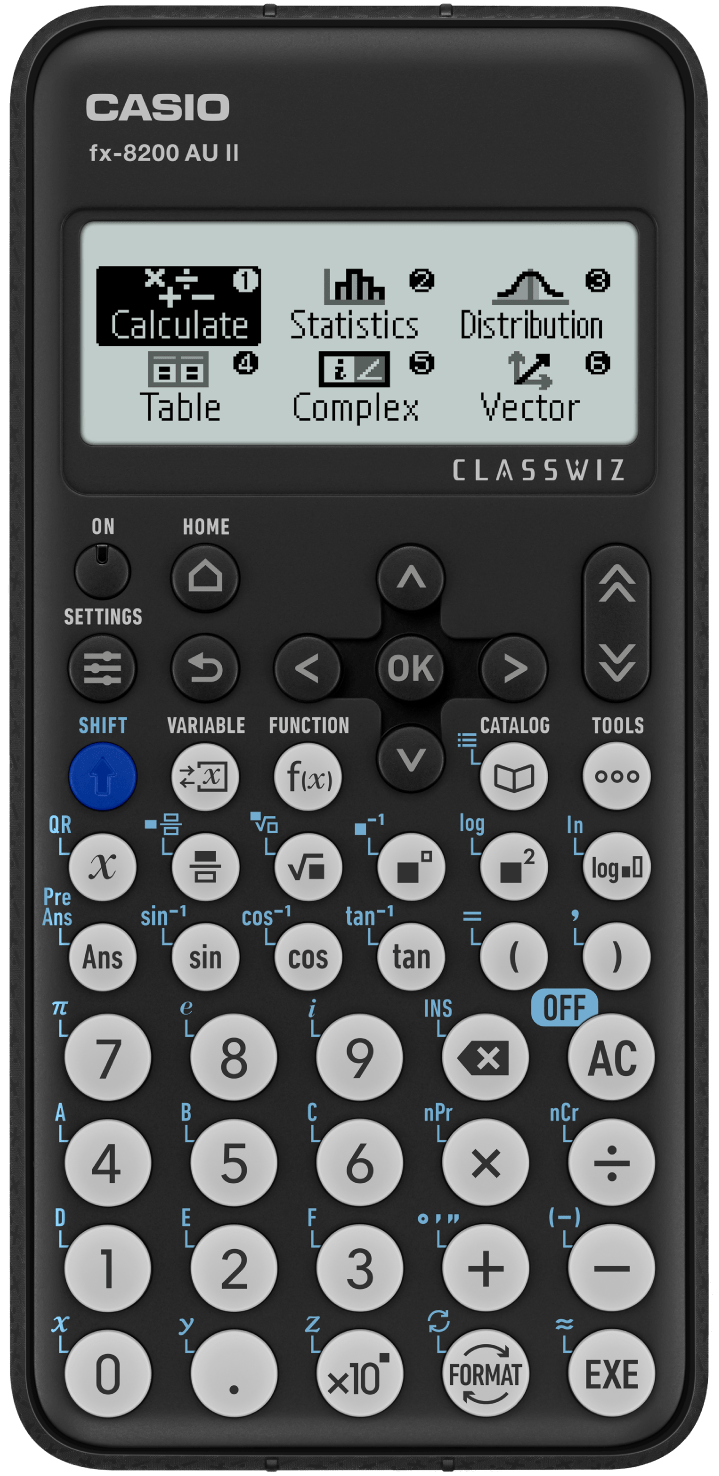
fx-8200 AU II Scientific CalculatorNEW
Casio’s most advanced scientific calculator approved by Australian exam authorities, including NESA.
Retaining all the great features you know and love in the fx-82AU PLUS II and fx-100AU PLUS 2nd edition, the fx-8200 AU delivers a significant increase in functionality and user experience, ensuring it will quickly become one of Australia’s leading scientific calculators for students in Years 7 to 12.
When combined with the benefits of our Prime Schools Plus program, the fx-8200 AU is more than just a calculator.
Category:
Technology:
Year Level:
State:
Exam Solutions | 2025 HSC Mathematics AdvancedNEW
This content is restricted.
Category: Exam Resources Archives, HSC Resources Archives
Technology: FX8200AU Archives, Scientific Resources
Exam Solutions | 2025 QCAA General MathsNEW
Worked solutions to the Queensland 2025 General Maths exam. This resources uses the fx-8200 AU (and applicable to fx-8200 AU II) to complete the exam; with Paper 1 & 2 highlighting several tips and tricks for best practice when using …
Category: Exam Resources Archives, QCAA Resources
Technology: FX8200AU Archives, Scientific Resources
Exam Solutions | 2025 QCAA Mathematical MethodsNEW
Worked solutions to the Queensland 2025 math methods exam (Paper 1 and Paper 2). This resources uses the fx-1AU GRAPH to complete the exam; with Paper 2 highlighting several tips and tricks for best practice when using the newer graphing …
Category: Exam Resources Archives, QCAA Resources
Technology: Exam Resources, fx-1AU GRAPH Resources, FXCG50AU
Exam Solutions | 2025 VCE Methods ExamNEW
These PDF solutions to the VCE 2025 Mathematical Methods Written Examination 2 incorporate the use of CAS as well as ‘by hand’ approaches and techniques. Sections A & B of the exam have been completed. fx-CP400. DOWNLOAD 2025 VCE METHODS …
Category: Exam Resources Archives, VCE Resources Archives
Technology: CLASSPAD FXCP400 Resources, Classpad/CAS Archives
Year Level: Year 11, Year 12
State: TAS, Teacher Resources, VIC
Exam Solutions | 2025 SACE General MathematicsNEW
This booklet aims to help teachers and students work through the 2025 SACE General Mathematics exam, demonstrating efficient use of the fx-1AU GRAPH. Solutions are annotated to provide insight into effective approaches to each question and how to meet assessment …
Category: Exam Resources Archives, SACE Resources
Technology: Exam Resources, fx-1AU GRAPH Resources, FXCG50AU
fx-1AU GRAPH How To Videos
The key operations and how to videos helping you get comfortable with the fx-1AU GRAPH. These videos take you through settings & initialising, to navigation, new buttons and shorter tips and tricks videos we know you’ll find useful. To find …
Category: 'How to' on Graphics/Non-CAS Archives, How to Videos
Technology: Exam Resources, fx-1AU GRAPH Resources
Doing Calculus with the fx-1AU GRAPH
Your getting started guide to doing calculus on the fx-1AU GRAPH. To find more resources and support once you’ve watched this playlist, check our fx-1AU GRAPH page for more resources and support, or request a PD session. *If there is …
Category: 'How to' on Graphics/Non-CAS Archives, How to Videos
Technology: Exam Resources, fx-1AU GRAPH Resources
Exam Solutions | 2025 SACE Mathematical MethodsNEW
This booklet aims to help teachers and students work through the 2025 SACE Mathematical Methods exam, demonstrating efficient use of the fx-1AU GRAPH. Solutions are annotated to provide insight into effective approaches to each question and how to meet assessment …
Category: Exam Resources Archives, SACE Resources
Technology: Exam Resources, fx-1AU GRAPH Resources, FXCG50AU
386 Results, Page 1 of 39