

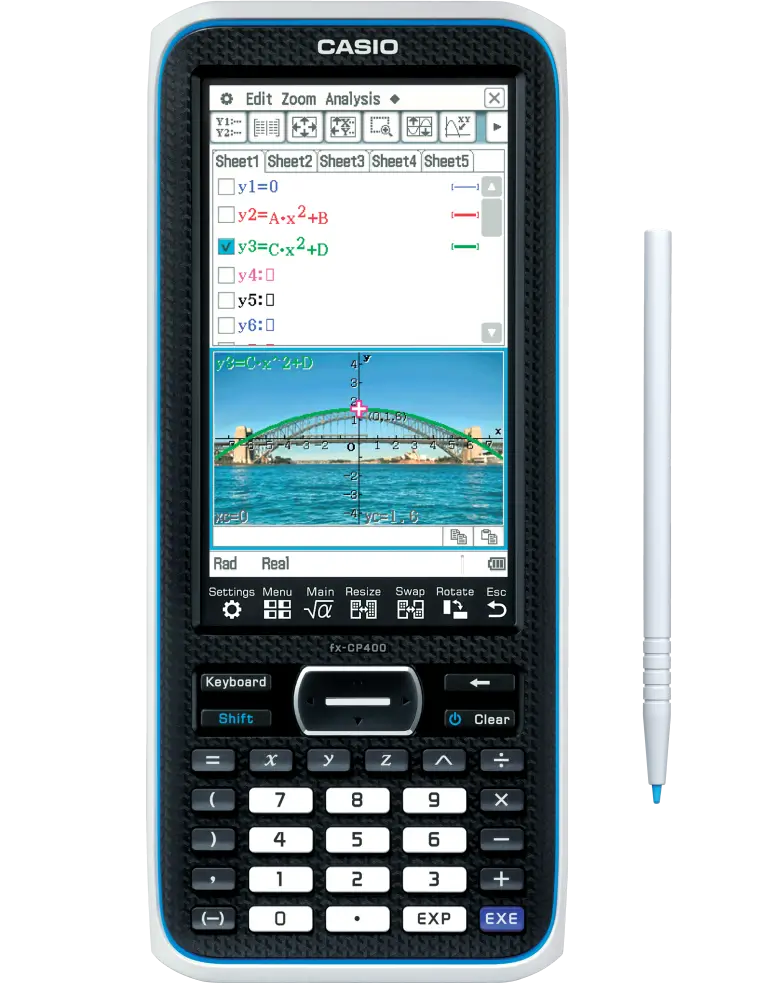
The ClassPad series continues to evolve as the next-generation machine optimised for classroom use.
The new fx-CP400 is the first ClassPad model to boast a 4.8 inch colour display. The fx-CP400 offers intuitive stylus and finger touch operation.
It also supports horizontal screen view. Simply switch the display between vertical and horizontal screen views by a touch on the icon panel.
CASIO’s fx-CP400 ClassPad II calculator is approved by and meets the necessary requirements outlined by WACE, VCE, TASC curricula.
Newly released software add-ons for Hungarian Algorithm, Create Matrix, and Binomial Distribution. Available to download below.
Main features include:
- 4.8″ colour display
- Finger or stylus touch operation
- Horizontal screen view
- Simple, intuitive user interface
- Copious graphing and 3D functionalities
- Statistics & probability
- Financial calculations
HUNGARIAN ALGORITHM NOW AVAILABLE!
3 x new downloadable programs for the
CASIO fx-CP400 ClassPad II calculator
WHY THE fx-CP400 IS THE CAS CALCULATOR FOR SENIOR MATHS
CASIO’s fx-CP400 ClassPad II calculator is purpose-built for senior secondary students tackling the most demanding mathematics courses Australia has to offer. Unlike a standard scientific calculator, CAS (Computer Algebra System) technology means the ClassPad can work with exact values, manipulate algebraic expressions and handle symbolic calculus, giving students a powerful tool to check working, explore concepts and move faster and more accurately through complex problems.
For teachers, the ClassPad means less time spent explaining mechanical computation and more time building mathematical understanding. The touchscreen interface lowers the barrier to entry, while the depth of functionality grows with students across Years 10 to 12. With dedicated emulator software available free through the Prime Schools Plus program, teachers can project their ClassPad screen directly to the classroom, making every demonstration crystal clear.
fx-CP400 SOFTWARE PROGRAMS
CreateM Program – DOWNLOAD NOW
invBinNR – DOWNLOAD NOW
invBinNL – DOWNLOAD NOW
- How to download and install on your ClassPad emulator (PC and Mac):
Double click the xcp file for each program that you wish to use.
The corresponding program will be saved to the Variable Manager of your ClassPad Manager and can then be accessed via the Main or Program app.
- How to transfer the programs onto your handheld device:
- Connect your handheld to your PC or Mac via the supplied USB cable.
- On the handheld, choose Connection Mode – USB Flash
- Drag and drop the xcp file(s) onto the ClassPad II’s USB Drive on your computer
- Close the USB Drive and eject the ClassPad from your computer
HOW DO I ...
ON THE
fx-CP400
REVISION GUIDE FOR VCE GENERAL, METHODS & SPECIALIST:
VCE General Maths Revision Guide
General tips and settings to help you prepare for your VCE general maths exam using the fx-CP400. This video will take you through your general settings tips and add-in programs you can download to your Classpad for added functionality. These additional programs include Hungarian Algorithm.
Total video time: 16:21
VCE Methods and Specialist Maths Revision Guide
General tips and settings to help you prepare for your VCE Methods and Specialist Maths exam/s using the fx-CP400. This video will take you through your general settings tips and add-in programs you can download to your Classpad for added functionality. These additional programs include InvBinN.
Total video time: 16:36
HOW DO I ... ON THE fx-CP400:
Exact calculation taking too long?
Tip #1: Interrupt it and calculate a decimal approximation.
Total video time: 1:46
Getting numerical results for an algebraic calculation?
Tip #2: Clear any numerical values previously assigned to variables.
Total video time: 1:29
Solve for a parameter using a previously created user-defined function
Tip #3. Use a previously defined function in the solve command to find unknown parameter values.
Total video time: 2:00
Evaluating an ‘improper’ definite integral? Integrand not defined at endpoints?
Tip #4: Modify the endpoints by a small amount.
Total video time: 1:22
EXAM SOLUTIONS USING THE fx-CP400:
A focus has been given to using the fx-CP400 in an exam environment.
Here, you’ll find worked solutions to past exams from the Victorian Mathematical Methods & General exams; all applicable to WACE and TASC curricula.
General maths using the ClassPad
This collection of videos demonstrates how the ClassPad II can be used to perform a range of calculations that arise in courses like VCE General Mathematics and WACE Mathematical Applications.
2023 VCE Methods exam
Worked solutions to sections A & B, for students, teachers and tutors to use for future exam revision, or general activities during class. View resource for all questions.
2024 VCE Methods exam
Worked solutions to sections A & B, for students, teachers and tutors to use for future exam revision, or general activities during class. View resource for all questions.
2022 VCE Methods exam
Worked solutions to sections A & B, for students, teachers and tutors to use for future exam revision, or general activities during class. View resource for all questions.
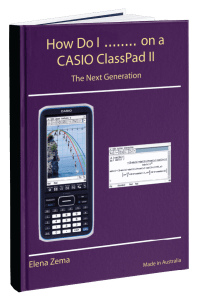
Designed for both teachers, students and parents, this manual will take you through best practice, navigation and highlights key mathematics examples to use in the classroom, or applied homework
Grab your free copy.
USABLE MANUAL
Designed for teachers, students and parents, this guide will take you through best practices, navigation and highlights key mathematics examples to use in the classroom or applied homework
Grab your free copy.
Shop the CASIO fx-CP400 ClassPad II calculator for sale
The fx-CP400 ClassPad II brings together a large colour touchscreen, powerful CAS functionality and a library of free teacher resources into one approved exam calculator. It is the natural choice for senior students in VIC, WA and TAS who want a reliable tool that keeps up with the demands of their mathematics course from Year 10 through to their final exams.
Ready to get started? Buy the CASIO fx-CP400 ClassPad II calculator today and give your students the technology they need to succeed.
fx-CP400 ClassPad II FAQs
fx-CP400 ClassPad II FAQs
The fx-CP400 ClassPad II is approved for use in exams by Victoria, Western Australia, and Tasmania curricula. All three states allow CAS technology.
Yes! These can be purchased from Casio Australia.
Stylus >> Check here
Cover >> Check here
Yes! The emulator software for the fx-Cp400 is available for free through Casio Education Australia.
We provide this software for free through a program called Prime Schools Plus.
If you’re a current member, please login to your account to access your license code and activation instructions.
If you are not a member, or have questions about if you should have access, please contact us at edusupport@shriro.com.au.
Yes! Please complete our PD request form and we’ll be in touch to set up your session/s at the time you’ve requested.
This PD is free-of-charge. You can request as many sessions as you would like.