

Cup Snakes – Describing Linear Change
A video introduction presents the mathematics of cup snakes, a hands on phenomena involving additive change that gives rise to a way to think about linear growth. Modeling this phenomena theoretically, with the help of two cups, and through data, with the help of many, many cups, these videos give rise to some of the big ideas around developing and using linear algebraic models to describe additive bi-variate change. These ideas are then unpacked in the accompanying ‘chapter replacement’ booklet.

Pigs, Pens and Mathematics
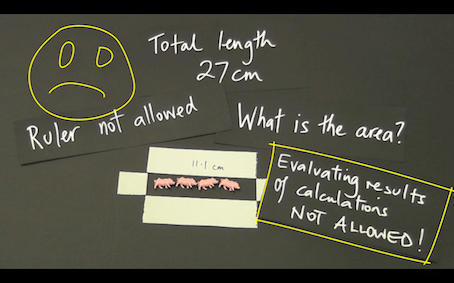
Pigs, pens and mathematics is a two to four lesson, tried and proven, activity that moves students from measurement-thinking to functional-thinking with the help a simple but rarely used idea – do not evaluate a calculation.
A small, but authentic and enlightening use of electronic technology is made.
It would fit perfectly in a measurement topic at any of the years 8 to 11.
In this collection of resources you will find:
a) a two-part introductory video, that can be played to the class to kick things off,
b) one support video that shows “how to” do the technical stuff on the CG 20 AU,
c) one support video that explores the mathematical ideas that can be developed with the help of the technology,
d) one ‘task sheet’ for students to work on after watching the videos or being instructed by the teacher,
e) a complete ‘unit of work’ that allows students to consolidate the mathematical ideas and skills they have learned.
Flow – Ideas that underpin Differential Calculus
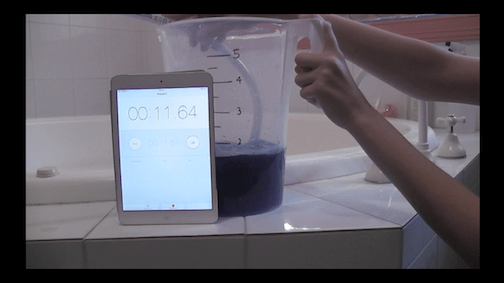
Presented here is a tried and proven three to five lesson sequence that begins with an engaging real-world context and grows students from the idea of average rate of change to instantaneous rate of change.
It is accessible to any student who has an understanding of average and gradient.
In this collection of resources you will find: a) a three-part introductory video (I, IIa and IIb), which structures the sequence of learning, b) two support video that shows “how to” do the technical stuff on the CG 20 AU.
Logarithms – when adding is multiplying (9860)
This unit aims to provide a simple/useful way to thing about logarithms when first meting them.
We use two examples of “hard” to graph data (due to the extreme range in the values) to alert students to the idea of thinking about a number as its power, as opposed to its absolute value.
The rest of the unit aims to establish a way to think about calculating with logarithms that will set a sound foundation for later on and that builds on their knowledge of ‘indices’ from previous years.
Category:
Replacement Units Archives
Technology:
Resources for Learning
CG212 Obtaining a 1-variable analysis of list data
This short video shows how to obtain a one variable analysis for list data, including values such as mean, median, standard deviation etc, using the Statistics app of a CASIO fx-CG series graphics calculator. CG20 AU and CG50 AU versions presented.
* This video stands alone but also can be viewed as Part 2 of a 5-part series of videos on working with univariate data.
* These videos cover entering and editing data, obtaining a 1-variable analysis, drawing histograms and box plot(s).
* The 5 videos are numbered CG211, CG212, … , CG215
CG713 Using a table of values
This video shows how to use a table of values to investigate the behaviour of a function, in particular when it takes a zero value, using the Table app of a CASIO fx-CG20 AU.
CG213 Drawing a histogram of lists data
This short video shows how to draw a histogram of list data using the Statistics app of a CASIO fx-CG series graphics calculator. CG20 AU and CG50 AU versions presented.
* This video stands alone but also can be viewed as Part 3 of a 5-part series of videos on working with univariate data.
* These videos cover entering and editing data, obtaining a 1-variable analysis, drawing histograms and box plot(s).
* The 5 videos are numbered CG211, CG212, … , CG215
CG222 Finding a linear model of ‘best fit’ for bivariate data
This short video shows how to determine a line of best fit for bivariate data via a scatterplot drawn using the Statistics app of a CASIO fx-CG series graphics calculator. CG20 AU and CG50 AU versions presented.
CG214 Drawing a boxplot of list data
This short video shows how to draw a boxplot for list data using the Statistics app of a CASIO fx-CG series graphics calculator. CG20 AU and CG50 AU versions presented.
* This video stands alone but also can be viewed as Part 4 of a 5-part series of videos on working with univariate data.
* These videos cover entering and editing data, obtaining a 1-variable analysis, drawing histograms and box plot(s).
* The 5 videos are numbered CG211, CG212, … , CG215
CG712 Generate and plot a table of values
This short video shows how to generate a table of values, along with a plot of the table, for a function using the Table app of a CASIO fx-CG series graphics calculator. CG20 AU and CG50 AU versions presented.